Installation
Warning
v2.0.x only supports Blender 5.0 and above
The add-on supports multiple installation methods, choose one.
Blender Preferences (Recommended)
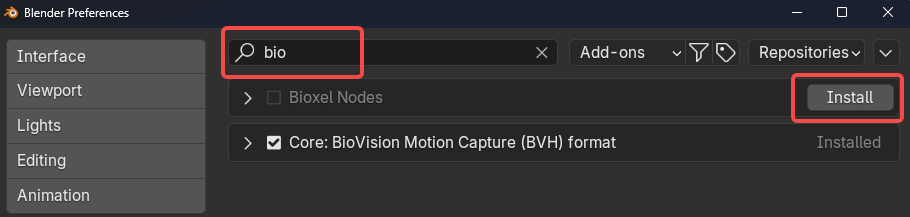
Click the top menu Edit > Preferences, search for "biox" in the "Get Extensions" area. Then click Install. Due to the large add-on size (60~100MB), you may need to wait for a while.
Blender Official Extensions Website
Visit https://extensions.blender.org/add-ons/bioxelnodes/ Click Get Add-on, open Blender, drag the add-on into Blender and follow the prompts to install.
Manual Installation
You can also download BioxelNodes.{version}.zip from here for manual installation.
Click the top menu Edit > Preferences, select Add-ons > Install from Disk, then choose the Zip file you downloaded.